We may earn a commission from links on this page, at no extra cost to you. Here’s how we test and our affiliate disclosure.
Bardeen AI is a no-code browser automation tool that scrapes web data, enriches leads, and runs repetitive online tasks straight from a Chrome extension — and for non-coders doing research-heavy work, it genuinely saves hours. Our verdict after testing: Bardeen is the best pick if you live in your browser and want to extract data, build prospect lists, and trigger AI actions without touching Zapier-style backend logic. The free plan (100 credits/month) is enough to learn the tool; the $10/month Professional plan unlocks scheduled and AI actions. The catch is the credit system — AI enrichment burns through credits faster than you expect, so heavy users often pay more than the sticker price. If you need deep, server-side, multi-app automation at scale, a tool like Make or Zapier fits better. For browser-native scraping and lead research, Bardeen is hard to beat.
What is Bardeen AI?
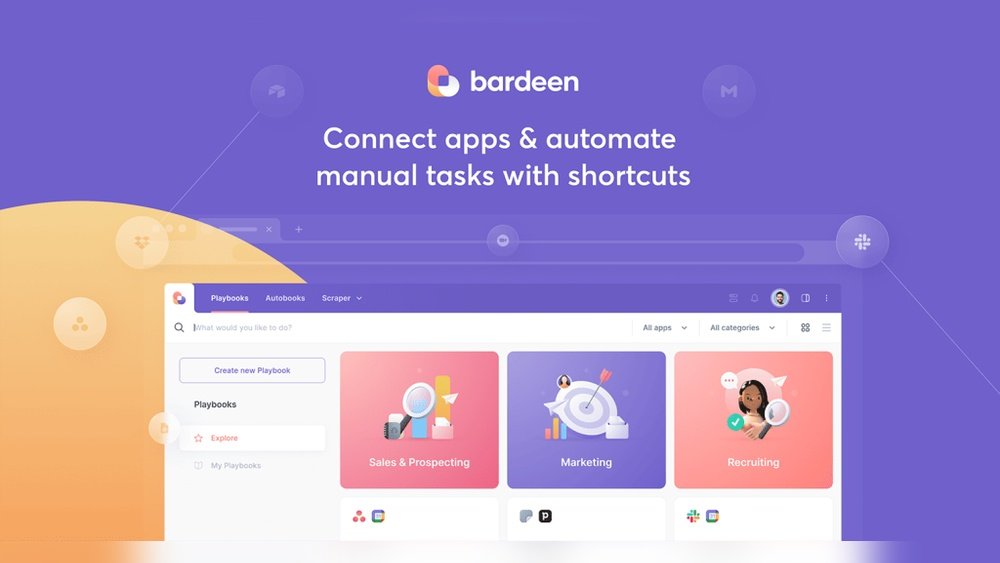
Bardeen is a Chrome extension that automates the things you’d otherwise do by hand in a browser tab: copying data off a page, building a spreadsheet from search results, enriching a list of companies, sending a templated message, or kicking off an AI summary. You stack “actions” into a workflow Bardeen calls a Playbook, then run it on demand, on a schedule, or with a trigger.
The pitch is no-code automation that sees what you see. Because it runs inside the browser with your logged-in sessions, Bardeen can pull data from sites that block traditional scrapers and APIs — LinkedIn, Twitter/X, Google Maps, e-commerce listings — then push it to Google Sheets, Notion, HubSpot, Salesforce, or a thousand apps via integrations. Its “Magic Box” lets you type a request in plain English and have Bardeen build the automation for you.

Credit: bardeen.ai
Bardeen AI at a glance
Here’s the quick spec sheet before we get into who should actually use it.
| Factor | Bardeen AI |
|---|---|
| Best for | No-code lead research, web scraping & browser data tasks |
| Type | Chrome extension (browser-native automation) |
| Free plan | Yes — 100 credits/month, manual non-premium actions |
| Paid from | ~$10/month (Professional, billed annually) — 500 credits + AI actions |
| Team plan | ~$15/user/month (Business) — collaboration & sharing |
| Coding required | None |
| Standout feature | Scrapers for sites without APIs + AI “Magic Box” |
| Main limitation | Credit system; AI enrichment drains credits quickly |
Pricing changes often — confirm the current tiers on the official Bardeen pricing page before you buy.
Who Bardeen is for (and who should skip it)
The clearest way to judge a tool like this is by job-to-be-done, not feature count.
Bardeen is for you if you’re a salesperson, recruiter, marketer, or operations person who does a lot of manual research in the browser — pulling contacts off LinkedIn, building lists from Google Maps, enriching company data, or monitoring listings. If your bottleneck is “copying things from web pages into a sheet,” Bardeen removes it.
Skip Bardeen if your automations are mostly backend app-to-app flows (e.g. “when a Stripe payment comes in, update a database and post to Slack”) with no browser step. That’s the home turf of marketing automation tools like Zapier and Make, which run on servers and don’t depend on a browser window being open. Also skip it if your enrichment volume is high and unpredictable — the credit math can get expensive fast.
Bardeen AI pricing explained
Bardeen runs on a credit model, and understanding it is the difference between a $10 bill and a $25 one.
The Free plan gives you 100 credits a month, manual runs, and the non-premium actions — enough to scrape pages and learn the tool. The Professional plan (around $10/month billed annually) adds 500 credits, scheduled automations, and AI-powered actions. The Business plan (around $15/user/month) layers on team sharing and collaboration. Standard actions cost roughly one credit per row; AI enrichment costs more. In testing and in widely reported user feedback, AI and enrichment actions burn credits several times faster than people expect, so the real-world cost for heavy users often lands closer to $25/user/month once you buy top-up credits. Budget for that if enrichment is your main use case.
Pros and cons
The honest trade-offs after hands-on use:
Pros
- Genuinely no-code — the Magic Box builds workflows from a plain-English prompt.
- Scrapes sites that block normal scrapers because it uses your logged-in browser session.
- Large library of pre-built Playbooks and templates to copy.
- Solid free tier to evaluate before paying.
- Tight integrations with Sheets, Notion, HubSpot, Salesforce and more.
Cons
- Credit system is confusing and AI actions drain it quickly — true cost can exceed the headline price.
- Browser-dependent: complex scheduled jobs are less reliable than server-side tools.
- Steeper learning curve once you go beyond template Playbooks.
- Heavy scraping of sites like LinkedIn can risk account limits — use responsibly.
The verdict
Bardeen earns a confident recommendation for one specific job: browser-native data work without code. If you spend your week researching prospects, building lists, and moving data out of web pages, the Professional plan pays for itself in saved hours. Start on the free plan, build two or three Playbooks around your real workflow, and watch your credit burn for a week before upgrading. If you discover your automations rarely involve a browser step, route that work to a backend tool instead — see our guide to the best AI tools for business in 2026 for the right pick by category. For browser automation specifically, Bardeen is our top no-code choice.
Frequently asked questions
Is Bardeen AI free?
Yes. Bardeen has a free plan with 100 credits per month and access to its non-premium actions, which is enough to scrape pages, extract data, and run simple automations manually. Scheduled automations, premium integrations, and AI-powered actions require the paid Professional plan (around $10/month billed annually). The free tier is a real evaluation tier, not a crippled trial, so most people can test their core workflow before paying anything.
What can Bardeen do?
Bardeen automates browser tasks without code: it scrapes data from web pages, builds spreadsheets from search results, enriches company and contact lists, sends templated messages, and triggers AI actions like summarizing or drafting text. You combine steps into “Playbooks” and run them on demand, on a schedule, or via triggers. It connects to Google Sheets, Notion, HubSpot, Salesforce and thousands of apps, making it popular for sales prospecting and operations research.
Is Bardeen better than Zapier?
They solve different problems. Bardeen excels at browser-based tasks — scraping pages and extracting data from sites without APIs — because it runs inside Chrome using your logged-in sessions. Zapier and Make excel at server-side, app-to-app automation that runs without a browser open. If your work starts on a web page, choose Bardeen; if it’s backend data flowing between SaaS apps, choose Zapier or Make. Many teams use both.
Is Bardeen safe to use for scraping LinkedIn?
Bardeen can pull data from LinkedIn because it operates through your own logged-in browser session, but aggressive scraping can trigger platform rate limits or account restrictions. Use conservative volumes, respect each site’s terms of service, and avoid mass-automating outreach. For occasional list-building and research it works well; for large-scale, continuous extraction you take on real account risk.
Related guides
- Best AI Tools for Business in 2026 (Tested by Category)
- Best AI for Excel & Spreadsheets (2026): Top 7 Tools
- AdCreative.ai Review 2026: Best for E-Com Ads?