
We may earn a commission from links on this page, at no extra cost to you. Here’s how we test and our affiliate disclosure.
Webhooks vs APIs: The Short Answer
An API is a phone you call when you want data; a webhook is a doorbell that rings you the instant something happens. With an API, your app pulls — it sends a request and waits for a response, on demand. With a webhook, the other system pushes — it fires an HTTP request to a URL you set up the moment an event occurs (a new lead, a paid invoice, a booking). The practical rule of thumb: use a webhook when you want to react instantly to something that just happened, and an API when you need to fetch or send specific data on your own schedule. They aren’t rivals — most real automations use both. In tools like GoHighLevel, Zapier, Make, and Pabbly, a webhook usually starts the automation and an API call finishes it. Understand that division of labor and 90% of “how do I connect these two apps?” questions answer themselves.
The rule of thumb (bookmark this)
Reacting to an event → webhook. Requesting data on demand → API. Need both? That’s normal — a webhook tells you something changed, and an API call goes and gets the full details. Nearly every service-business automation you’ll build follows exactly that pattern.
Webhook vs API: At-a-Glance Comparison
| Factor | API | Webhook | Winner |
|---|---|---|---|
| Direction | You request (pull) | It notifies you (push) | Depends on need |
| Trigger | Your request | An event happening | Webhook for events ✅ |
| Timing | On demand / polled | Real-time, instant | Webhook ✅ |
| Communication | Two-way (send & receive) | One-way (receiver gets data) | API ✅ for two-way |
| Resource use | Higher (repeated polling) | Lower (fires only on events) | Webhook ✅ |
| Setup | Call an endpoint with a key | Host a public URL to receive data | API ✅ (simpler to start) |
| Best for | Fetching/updating specific data | Instant alerts & syncing | Use both together 🏆 |
The honest takeaway: there’s no universal “winner.” A webhook wins on speed and efficiency for event-driven work; an API wins when your app needs to ask for data or perform an action whenever it decides. The best integrations pair them.
What an API Actually Does
An API (Application Programming Interface) is a defined set of rules that lets one program request features or data from another. Your app sends a request; the other system sends back a response. A weather app calling a weather service, a store pulling product details from a supplier, a “Log in with Google” button — all APIs. They’re flexible and two-way: you can read data, update it, or trigger actions, all on demand. APIs come in a few flavors by access — public/open (anyone), partner (approved collaborators), internal/private (inside one company), and composite (bundling several calls into one). Most modern APIs speak REST over standard HTTP; you’ll also see GraphQL (ask for exactly the fields you want) and older SOAP.
What a Webhook Actually Does
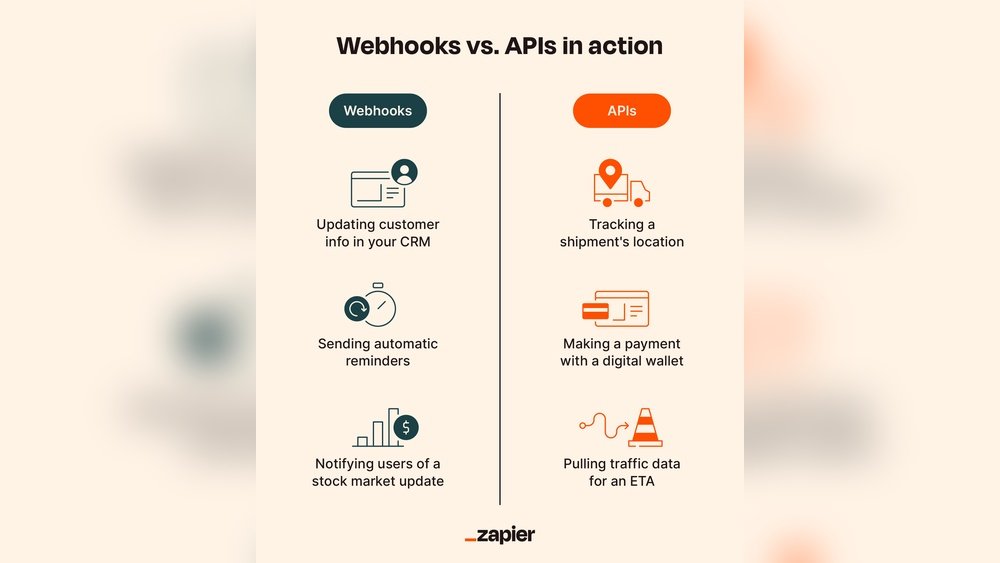
A webhook is an automated, one-way HTTP message that one app sends to another the moment a specific event happens — no one has to ask for it. You give App A a URL (“when a payment succeeds, POST the details here”), and App B receives that data instantly and acts on it. Because webhooks are event-driven, they only fire when there’s something to report, which makes them fast and light on resources. Common uses: a payment platform notifying your CRM that an invoice was paid, an online store updating inventory after a sale, or a form tool pinging your automation the second a lead submits. The one requirement most beginners miss: the receiving side needs a publicly reachable URL to catch the incoming request.
The Key Differences, Plainly
Push vs pull. Webhooks push data to you automatically; APIs wait for you to pull it with a request. Event vs request. A webhook is triggered by something happening; an API call is triggered by you asking. One-way vs two-way. A webhook mostly delivers data in one direction; an API supports a full back-and-forth of requests and responses. That’s why webhooks shine for “tell me the instant X happens” and APIs shine for “go get me Y” or “go update Z.” Get those three axes straight and you’ll never again wonder which one a task needs.
For Non-Coders: How This Shows Up in Your Automation Tools
You rarely touch raw code to use either one. In Zapier, Make, Pabbly, or n8n, a “Webhook” trigger gives you a unique URL to paste into another app — that’s the doorbell. A “Webhooks by Zapier” or “HTTP” action, or any app-specific action step, then makes the API call for you — that’s the phone. In GoHighLevel, inbound webhooks kick off workflows and outbound webhooks push contact data to other systems. So the real beginner question isn’t “webhook or API?” — it’s “does this app send a webhook when the event happens, and does it expose an API to fetch what I need afterward?” Check each app’s developer docs for both, and your automation platform handles the plumbing. This is exactly the pattern behind tools like Make.com and Zapier.
Common Challenges to Plan For
Security. A webhook exposes a public URL, so verify that incoming requests are genuine — use signature verification (a secret the sender signs each payload with) and HTTPS. APIs need strong authentication (API keys or OAuth tokens) kept out of public code. Reliability. Webhooks can miss a delivery if your endpoint is down, so senders should retry and you should log every payload; API calls can time out, so build in retries and clear error handling. Scale. A busy webhook can flood you with events — use a queue to absorb bursts; heavy API polling can hit rate limits, which is itself a strong reason to prefer webhooks for high-frequency events. Design for failure from day one and your integrations stay stable as they grow.
The Verdict
Don’t think of webhooks and APIs as competitors — think of them as the two halves of every integration. Reach for a webhook when you need to react the instant an event fires and want to avoid wasteful constant polling. Reach for an API when your app needs to request specific data or perform an action on its own terms. For most service-business automations — new lead, paid invoice, booking, review request — you’ll trigger with a webhook and enrich or act with an API call. Learn that combined pattern once and you can wire up almost any two tools with confidence.
Frequently Asked Questions
What is the difference between a webhook and an API?
An API is a request-driven, two-way channel: your app asks for data or sends an action, and the other system responds. A webhook is event-driven and one-way: the moment something happens, the source app automatically pushes the data to a URL you provided. Put simply, with an API you initiate the conversation on demand; with a webhook the event initiates it in real time. APIs are ideal for fetching or updating specific information; webhooks are ideal for instant notifications and keeping systems in sync without constant checking.
When should I use a webhook instead of an API?
Use a webhook when you need to react immediately to an event and you’d otherwise have to poll an API over and over to catch it — new sign-ups, completed payments, submitted forms, status changes. Webhooks push the update the instant it happens, saving bandwidth and server load. Use an API instead when your app needs to pull data on its own schedule, request specific records, or perform an action you control the timing of. In practice most workflows use a webhook to start the automation and an API call to fetch details or take the next step.
What are the four types of API?
By access level, APIs are generally grouped into four types. Public (open) APIs are available to any developer. Partner APIs are shared only with approved business collaborators. Internal (private) APIs connect systems inside a single company and aren’t exposed publicly. Composite APIs bundle several calls into one request to save round-trips and improve performance. Separately, you’ll hear about API styles or protocols — REST, GraphQL, and SOAP — but those describe how an API communicates, not who is allowed to use it.
Do I need to know how to code to use webhooks and APIs?
No. Automation platforms like Zapier, Make, Pabbly, n8n, and GoHighLevel let you use both without writing code. You copy a webhook URL from one tool and paste it into another to connect them, and pre-built action steps make API calls for you behind the scenes. You’ll occasionally need to read an app’s documentation to find its webhook option or the right API field, but the platform handles authentication and formatting. Coding only becomes necessary for highly custom integrations that no existing connector supports.
Can webhooks and APIs be used together?
Yes — and they usually are. A common pattern is to let a webhook signal that something happened, then use an API call to fetch the full details or trigger the next action. For example, a payment webhook tells your CRM “invoice #123 was paid,” and your workflow then calls the payment provider’s API to pull the full transaction record and update the customer. Combining them gives you the real-time responsiveness of webhooks and the precise, on-demand control of APIs, which is why robust automations rely on both rather than choosing one.
Related Guides
- Best Marketing Automation Tools (2026)
- Make.com vs Zapier: Pricing Compared
- n8n vs Make.com: Best for Self-Hosting
Reviewed by Manik Chandra Dhor, founder of Essential Tools Hub. We test and compare automation software for service businesses. See how we test. Further reading: the MDN definition of REST and Zapier’s integration platform.