We may earn a commission from links on this page, at no extra cost to you. Here’s how we test and our affiliate disclosure.
n8n vs Make.com: Which Wins for Self-Hosting in 2026?
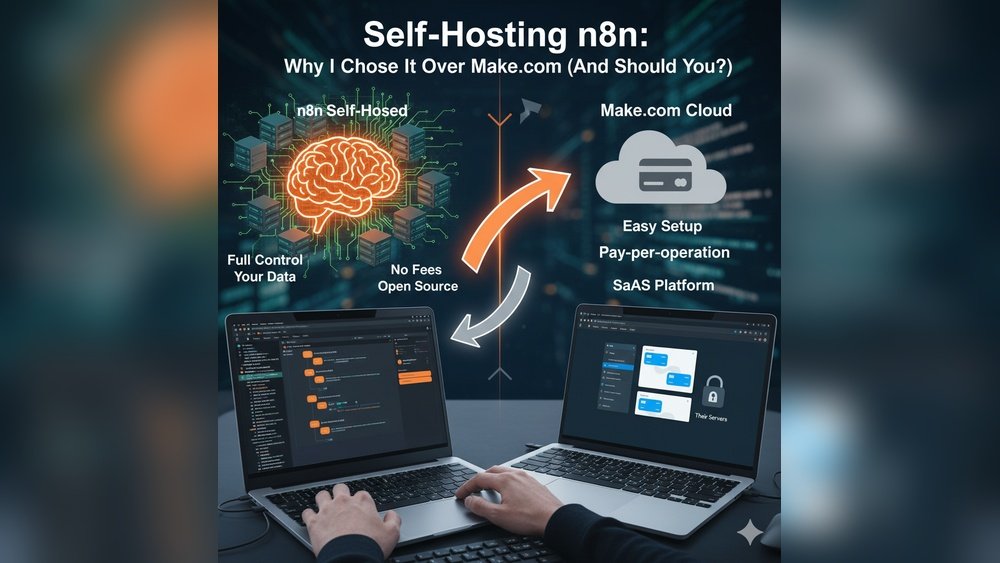
Short answer: if self-hosting is a hard requirement, n8n wins by default — because Make.com cannot be self-hosted at all. Make.com is a cloud-only platform; there is no on-premise or private-server version you can install. n8n, by contrast, ships a free, self-hostable Community Edition under a fair-code “Sustainable Use License,” so you run it on your own server (via Docker), keep every byte of data in-house, and pay nothing for the software itself. The real trade-off isn’t features — it’s control versus convenience. Choose n8n when data residency, unlimited executions, custom code, and cost control matter more than hand-holding. Choose Make.com’s cloud when you want a polished drag-and-drop builder, 3,000+ ready integrations, and zero server maintenance, and you’re comfortable with data living on Make’s infrastructure. Below we break down setup, pricing, integrations, and who each tool is actually for.
Quick Verdict: n8n vs Make.com at a Glance
The one-line reframe most comparisons miss: this isn’t a like-for-like fight. Only one of these tools can be self-hosted, so the “best for self-hosting” question answers itself — the interesting part is whether self-hosting is worth giving up Make’s polish.
| Factor | n8n (self-hosted) | Make.com (cloud) |
|---|---|---|
| Self-hosting | ✅ Yes — free Community Edition (Docker) | ❌ No — cloud only |
| Data control | ✅ Full; data stays on your server | Data on Make’s cloud (EU/US regions) |
| Pricing model | Per workflow execution (self-host free) | Per credit (operation) |
| Entry cost | $0 software + ~$27–50/mo server | Free tier, then Core ~$9/mo |
| Integrations | 500+ nodes + any REST API + custom code | 3,000+ pre-built apps |
| Ease of use | Steeper; developer-friendly | ✅ Beginner-friendly, drag-and-drop |
| Custom code | ✅ Native JS/Python nodes | Limited (Make Code, costs extra credits) |
| Best for | Devs, agencies, privacy-first teams | Non-technical users, fast setup |
Winner for self-hosting: n8n 🏆 (uncontested). Winner for no-code convenience: Make.com 🏆.
What Is n8n?
n8n is a fair-code workflow-automation tool built around self-hosting. You design workflows in a visual node editor, then run them on your own infrastructure with full control over data and execution. Its Community Edition is free to self-host with unlimited executions, which is the single biggest reason cost-conscious and privacy-first teams pick it. n8n now offers 500+ integrations and, crucially, native JavaScript and Python code nodes plus the ability to call any REST API — so you’re never blocked by a missing connector. The catch: you own updates, backups, and security. n8n is licensed under the Sustainable Use License (source-available, self-host allowed, with limits on commercial redistribution) — not a classic open-source license, so read the terms if you plan to resell it.
What Is Make.com?
Make.com (formerly Integromat) is a cloud-based automation platform built for speed and simplicity. Its colorful drag-and-drop canvas lets non-coders wire up “scenarios” in minutes, backed by a catalog of 3,000+ apps. There is no self-hosting option — Make runs entirely on its own servers and handles all updates, security, and backups for you. In August 2025 Make switched its billing unit from “operations” to credits: standard module runs cost one credit, while AI modules and code execution cost more. That convenience is the whole pitch — you trade data control and unlimited runs for a maintenance-free, beginner-friendly experience.
Self-Hosting: The Decisive Difference
This is where the comparison ends before it begins: n8n self-hosts, Make.com does not. If your compliance, data-residency, or security policy requires automation to run on infrastructure you control, Make.com is disqualified outright. n8n’s self-hosted setup uses Docker, installs in minutes with the official guides, and gives you unlimited executions with zero per-run fees. You control where data lives, when updates happen, and how the environment is secured — at the cost of doing that maintenance yourself. A realistic self-host bill is roughly $27–$50/month for a small managed database and server, versus $0 for the n8n software.
If you want the mechanics of usage-based automation billing more broadly, our Make.com vs Zapier pricing comparison breaks down how operation/credit and task models add up in the real world.
Pricing Compared (2026)
The honest summary: n8n is cheapest if you can self-host and manage a server; Make.com is cheaper to start if you value your time over your money.
| Plan | n8n | Make.com |
|---|---|---|
| Free | Community Edition — self-host, unlimited executions | 1,000 credits/mo, 2 active scenarios, 15-min interval |
| Entry paid | Cloud Starter ~€24/mo (2,500 executions) | Core ~$9/mo (10,000 credits, 1-min interval) |
| Mid | Cloud Pro ~€60/mo (10,000 executions) | Pro ~$16/mo |
| Team/Business | Business (self-host SSO/Git) ~€667/mo annual | Teams ~$29/user/mo; Enterprise custom |
Note the billing philosophies differ: n8n charges per workflow execution (a 40-step run still counts as one), while Make charges per credit/operation (each module run burns credits). For multi-step workflows, n8n’s model is usually far cheaper. Always confirm current numbers on the official n8n pricing page and Make.com pricing page before you commit.
Ease of Use & Learning Curve
Make.com wins on approachability. Its guided, colorful builder is genuinely beginner-friendly — most people ship a working scenario the same day. n8n’s editor is powerful but denser; connecting nodes, expressions, and triggers takes longer to click, and the flexibility can overwhelm newcomers. The upside is that n8n’s ceiling is much higher: native code nodes, branching, loops, and custom API calls mean advanced users rarely hit a wall.
Integrations & Automation Power
By raw connector count, Make.com leads with 3,000+ apps out of the box. But n8n’s 500+ nodes plus native HTTP/REST and code nodes mean it can talk to anything with an API — you’re just doing a little more wiring. For deeply custom or developer-driven workflows, n8n is more adaptable; for plugging mainstream SaaS tools together fast, Make.com is quicker.
Pros & Cons
n8n — pros: free self-hosting, unlimited executions, full data control, native code, execution-based (cheap) billing. Cons: you own maintenance/security, steeper learning curve, fair-code (not fully open-source) licensing.
Make.com — pros: beautiful no-code builder, 3,000+ apps, zero maintenance, fast to launch. Cons: no self-hosting, credit costs climb with volume and AI use, less control over data and updates.
Who Should Choose Which
Choose n8n if you’re a developer, agency, or privacy-first team; you need data on your own servers; you run high-volume or complex multi-step workflows; or you want to cap costs. Choose Make.com if you’re non-technical, want the fastest path to a working automation, rely on mainstream SaaS apps, and are happy running in the cloud. For service businesses weighing broader automation stacks, see our best automation tools guide for operators and how teams handle automated SMS & email archiving.
Final Verdict
For self-hosting specifically, n8n is the only real answer — Make.com can’t compete because it can’t self-host. If you have the technical chops (or a developer) and value control, privacy, and cheaper high-volume runs, self-hosted n8n is the smarter long-term pick. If you’d rather never touch a server and want to automate mainstream apps this afternoon, Make.com’s cloud is the friendlier, faster choice. Match the tool to your constraint — control or convenience — and either can run your automations reliably.
Frequently Asked Questions
Can Make.com be self-hosted?
No. Make.com is a cloud-only platform with no self-hosting, on-premise, or private-server option — it runs entirely on Make’s own infrastructure, which manages updates, security, and backups. If self-hosting is a requirement (for data residency or compliance), Make.com is not a candidate; n8n’s free, self-hostable Community Edition is the standard choice instead.
Is n8n really free to self-host?
Yes. The n8n Community Edition is free to self-host with unlimited workflow executions. You only pay for the server/database you run it on — realistically around $27–$50/month for a small managed setup. A paid self-hosted Business plan (~€667/mo annual) exists only if you need SSO/SAML, Git version control, or multiple environments; most solo users and small teams never need it.
Is n8n cheaper than Make.com?
For multi-step or high-volume workflows, usually yes. n8n bills per workflow execution — a 40-step run counts as one — while Make charges credits per module/operation, so costs scale with steps and AI usage. Self-hosted n8n’s software is free (you pay only for hosting). Make.com is cheaper to start if you factor in the time you’d spend maintaining a server.
Which is easier for beginners, n8n or Make.com?
Make.com. Its drag-and-drop, guided interface lets non-coders build working automations the same day, with a gentle learning curve. n8n is more powerful but denser — connecting nodes and writing expressions takes longer to learn, though its code nodes give advanced users a much higher ceiling.
Is n8n open source?
Not in the strict OSI sense. n8n is “fair-code” under the Sustainable Use License: the source is available and you can self-host and use it internally for free, but there are restrictions on commercial redistribution (e.g., reselling it as a hosted service). For internal business automation this rarely matters — but read the license if you plan to build a product on top of it.